

The tag above is made using:
PTU tube "Fluffy" by VeryMany and can be purchased HERE.
PTU kit "Winter Flannel" by TinyTurtle Designs and can be purchased HERE.
PSP X5 was the version I used but any version will work.
Let's Begin:
Open tube - SHIFT+D and close original tube.
Image - New 600x600 Transparent
Open Paper (10) - Copy - Close
Paste as New Layer
Resize 80% (Uncheck All Layers)
Open element (97) - Copy - Close
Paste as New Layer
Effects - Mosaic Glass using these settings:

Go to the tube image. Close out the watermark layer - Merge Visible Layers - Copy - Close
Past as new layer - resize 60% (uncheck ALL LAYERS)
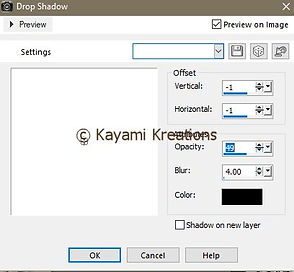
Effects - 3D effects - Drop Shadow using these settings:
Open element (25) - Copy - Close
Paste As New Layer - Resize 80% (all layers unchecked)
Position in bottom right corner - duplicate layer - position bottom left corner
Merge layer down 1x
Apply drop shadow using same settings as used previously.
Open element (100) - Copy - Close
In layer palette choose your paper background layer
Paste As New Layer -
Add drop shadow using same settings as used previously
Open element (45) - Copy - Close
Paste As New Layer
Add drop shadow using these settings:

In layer palette choose top layer
Open element (51) - Copy - Close
Paste As New Layer
Resize 35% and move to top left edge of clock
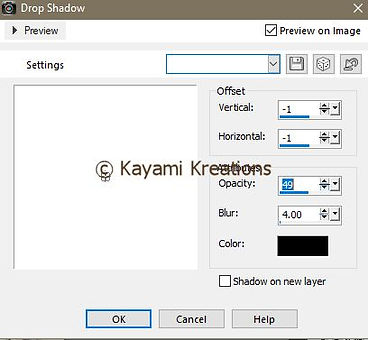
add drop shadow using these settings:
Merge all layers
Image - Picture Frame - select Edge Rough Frame
Merge visible layers
Resize if desired 450x450 or size desired. Or keep it at 600x600
Add copyright information if required
Merge all
Add your name or text desired - Merge All one last time
Save as a .jpg or .png
And we are done!
I hope you enjoyed this tutorial. I'd love to see what you've made, so drop me a comment or email with a link or a screenshot!
Kayami


No comments:
Post a Comment